Latest Posts

Behind the feature: Negative Film Conversion in Capture One

If one thing is clear, film photography is not dead. We see it across genres, from commercial fashion photography to enthusiast communities. So, it’s perhaps not a coincidence that Negative Film Conversion has been one of our most requested features. 

Last year, we got to it.  

Now, let’s explore how the solution came to life, how it was designed, what needed to be right, and who we collaborated with to bring it to market. 
Designing the feature: Capture sets the foundation 

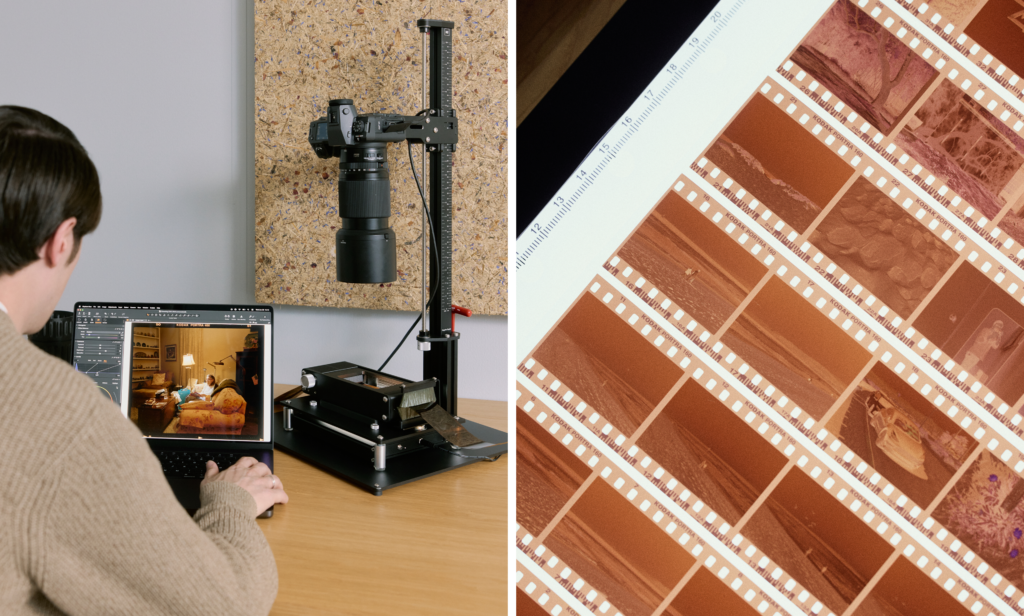
When scanning and converting film, the earliest decisions in the workflow have a lasting impact. That means the quality of the conversion depends heavily on how the negative is captured. To get the best starting point, the goal is to extract as much information as possible from the film, which means maximizing dynamic range and minimizing digital noise during scanning. 

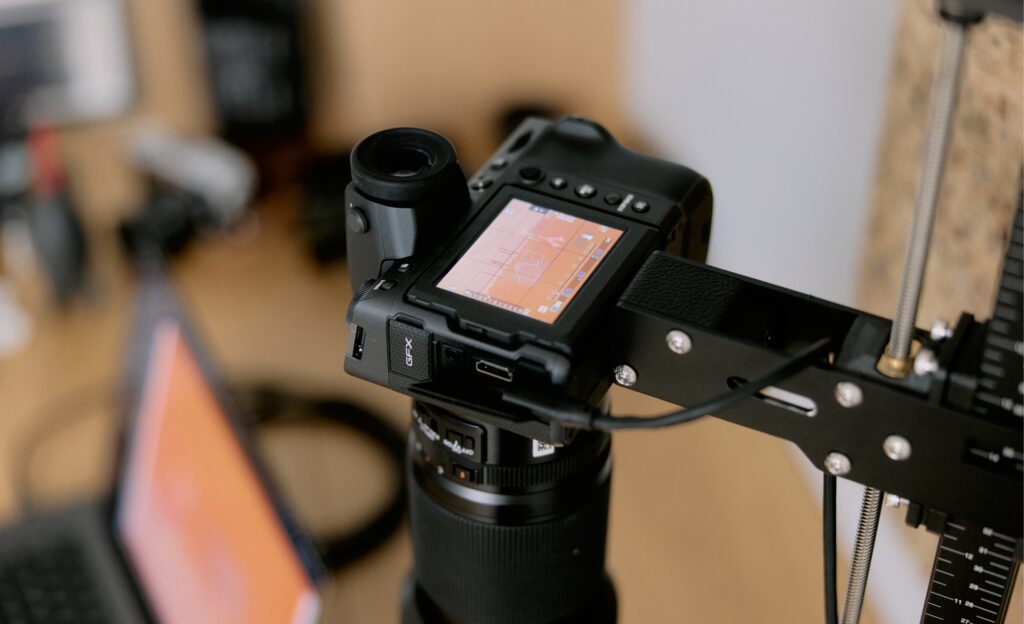
A camera-based scanning setup with a stable film carrier helps keep the negative sharp, while an even, consistent light source ensures uniform exposure across the frame. When the camera is tethered to Capture One, exposure warnings make it easy to immediately see whether a capture is over- or underexposed, so adjustments can be made before moving on. The process helps ensure each negative is captured properly and provides a solid foundation for conversion. 
Conversion is a distinct step

Once the negative is captured, the focus shifts from capture to conversion, and this is more than simply flipping the image or inverting curves. 

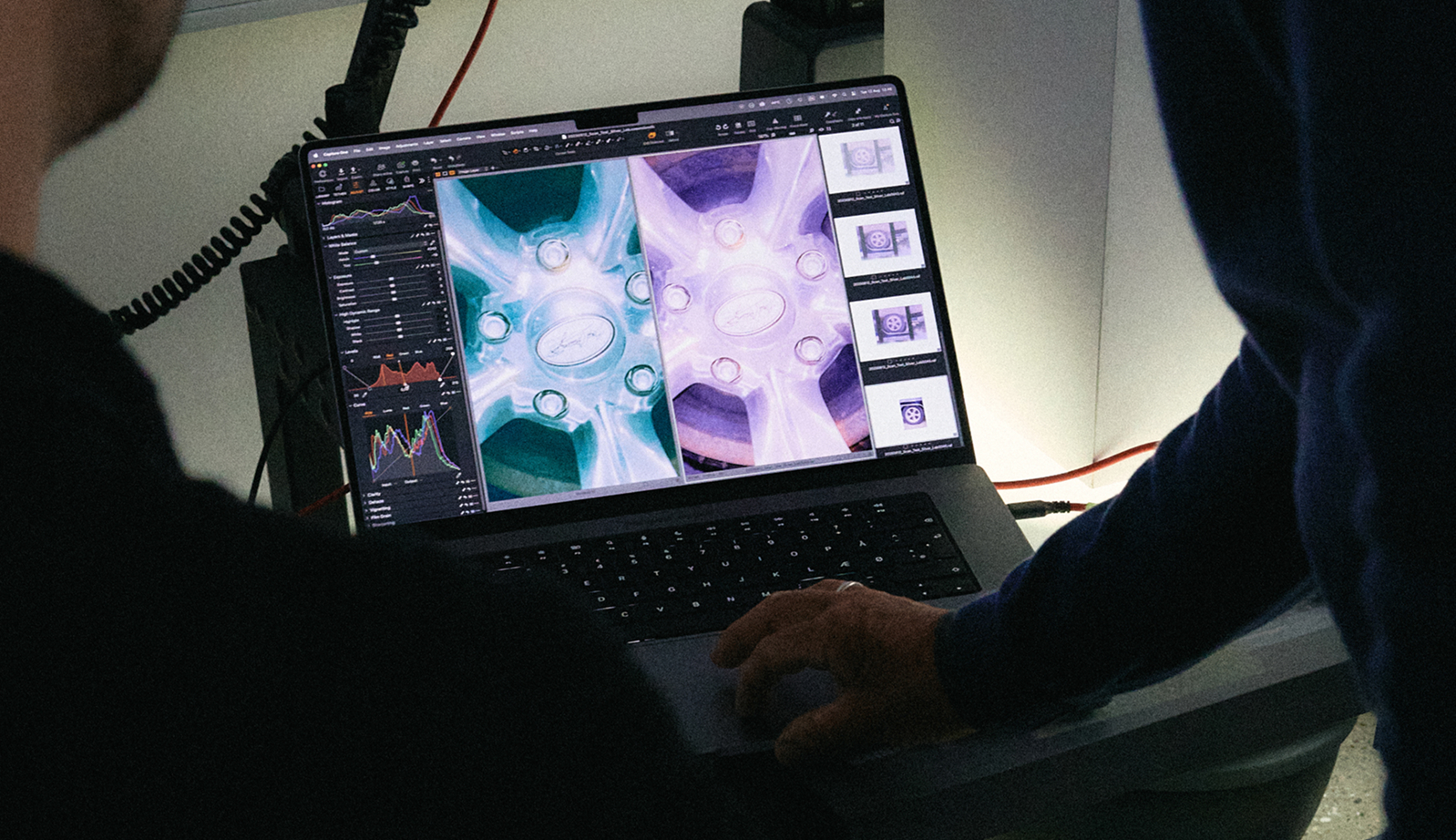
To support film properly inside Capture One, the team built a new, dedicated editing pipeline designed specifically for film negatives. It introduces a dedicated mode where the tools remain familiar, but the way they affect the image is adapted to suit the nature of film, instead of standard digital photography. The conversion itself happens in a carefully defined sequence, where the image data is treated differently at specific stages, such as adjusting for the unique color characteristics and grain structure of film negatives to ensure accurate representation in the final image. 
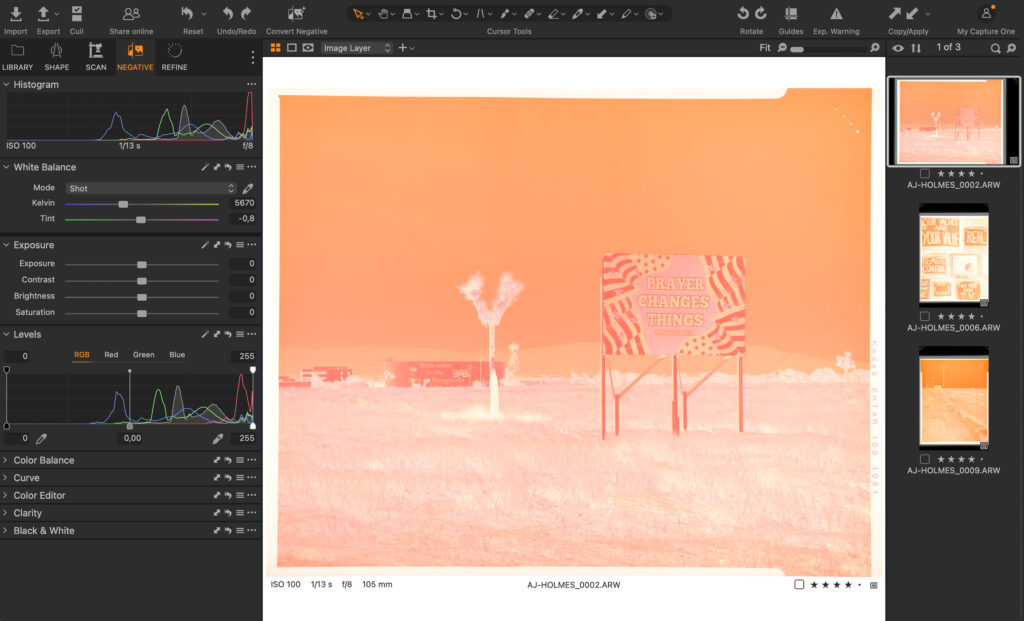
When the negative is photographed, the full dynamic range of the digital sensor is used to capture as much information as possible from the film. That data is first interpreted in a linear working space, where white balance compensates for the film base and aligns the red, green, and blue channels. 

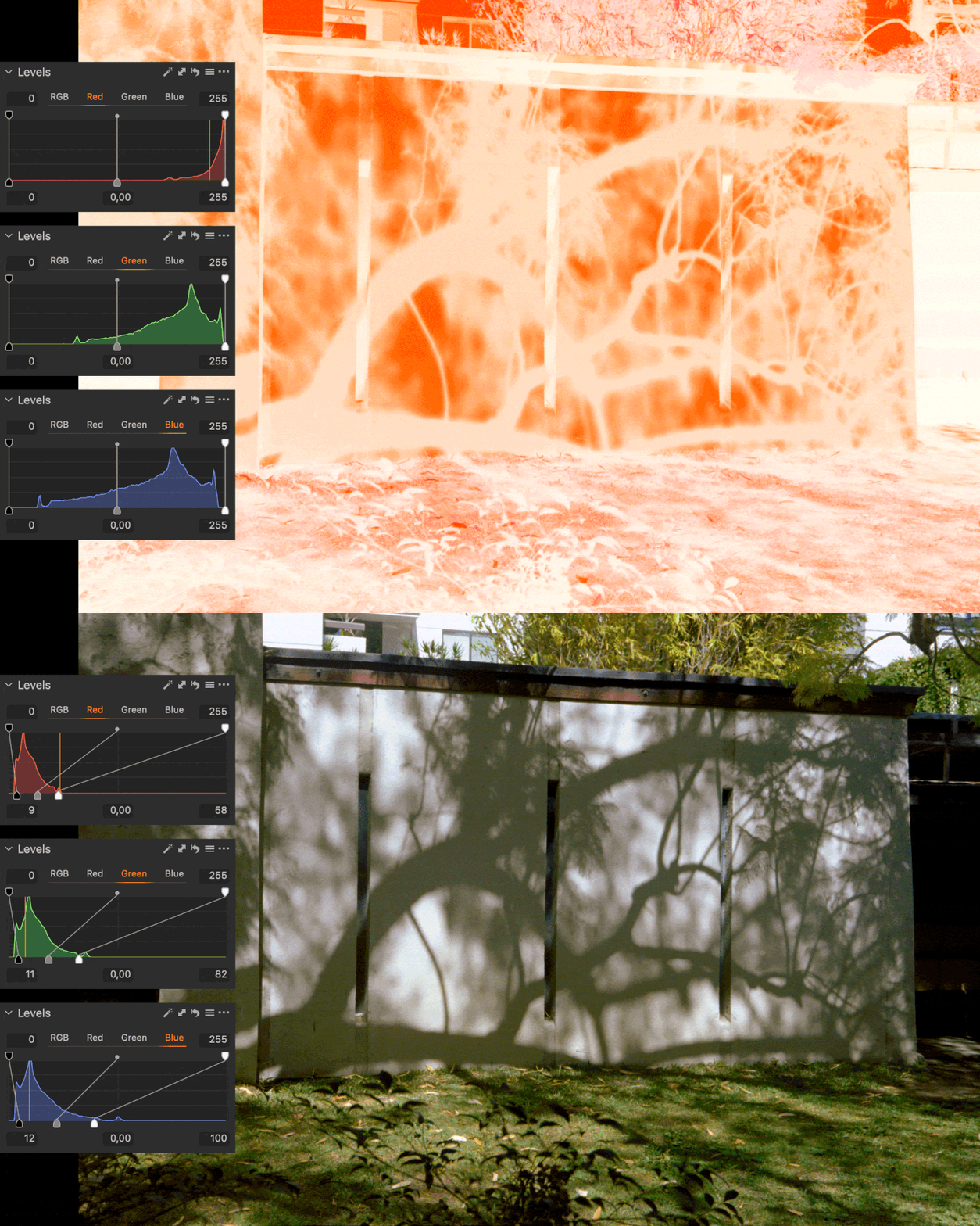
The image is then inverted to produce the initial positive result, while retaining the full captured information for further editing. From there, the Levels tool defines the black and white points, expanding the film’s density range into a usable positive tonal range. The data is redistributed within the available range rather than prematurely discarded. 

Because the process is predictable and based directly on the captured image data, photographers retain control. Dynamic range, clipping points, and tonal curves can still be adjusted later. A well-captured frame that represents the full tonal range of the film can serve as a reliable starting point for the rest of the roll. 
Familiar tools, different behavior 

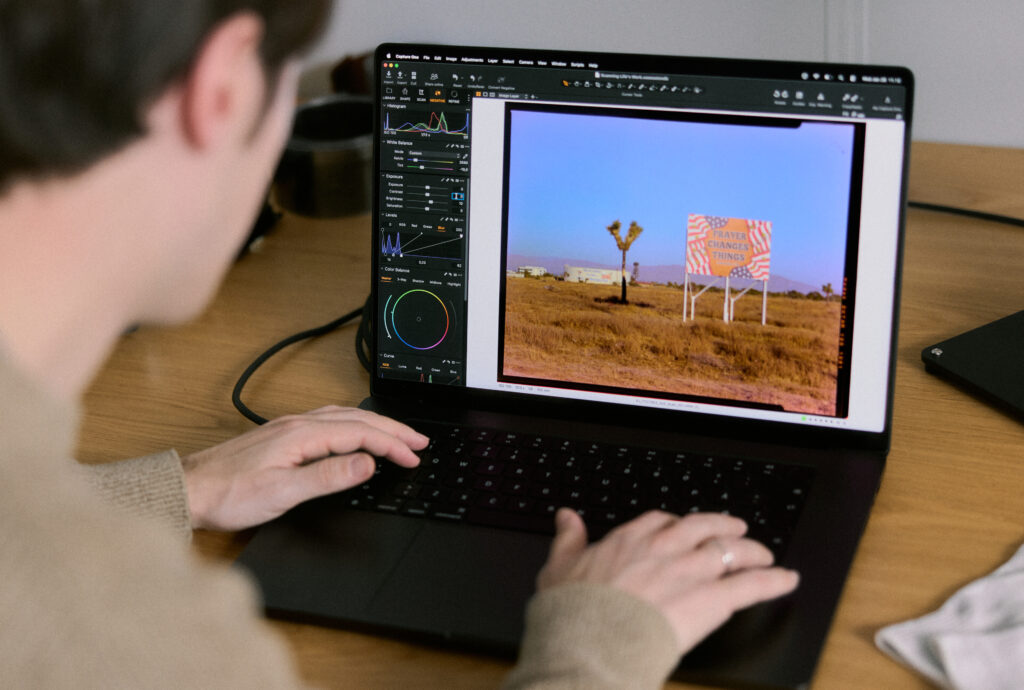
Some adjustments, such as white balance and exposure, behave differently in this mode. These tools are designed for standard digital images, where color and exposure are applied to a positive image with a predictable tonal structure. 

A negative doesn’t follow those assumptions. Bright and dark values are inverted, and color information is affected by the film base. Because the image needs to pass through inversion and base correction in a specific order, certain tools cannot operate exactly as they do with a standard file. In this workflow, the exposure slider and white balance tools are used primarily as corrective measures to ensure the rest of the tools function as intended. 

For that reason, the conversion begins by defining a clear baseline. At the center of this workflow is the Levels tool. This stage is where the foundation of the conversion is established and where the most critical decisions are made. Getting this step right determines the amount of information preserved from the scan and the consistency of the results across a roll. 
Built for batch workflows 

Once you are happy with the conversion, you can repeat the process in batch and continue editing with the tools available in Capture One. Settings established on one image can be applied confidently across subsequent captures, making it possible to convert entire rolls efficiently while maintaining predictable results. 

“Film photography is seeing a revival, especially among photographers who started in digital. With Negative Film Conversion, we wanted the experience to feel like Capture One. Familiar tools and the same efficient workflow, while still respecting the craft of color negative film with a dedicated conversion pipeline.” 

– Mathieu Bourlion, Director of Product Management, Capture One 

Color, film stocks, and testing 

Color is at the core of Capture One, and the way we worked with color here was no different. We know that choosing film is an intentional decision, and the conversion needed to carry those differences through, not reshape them. 
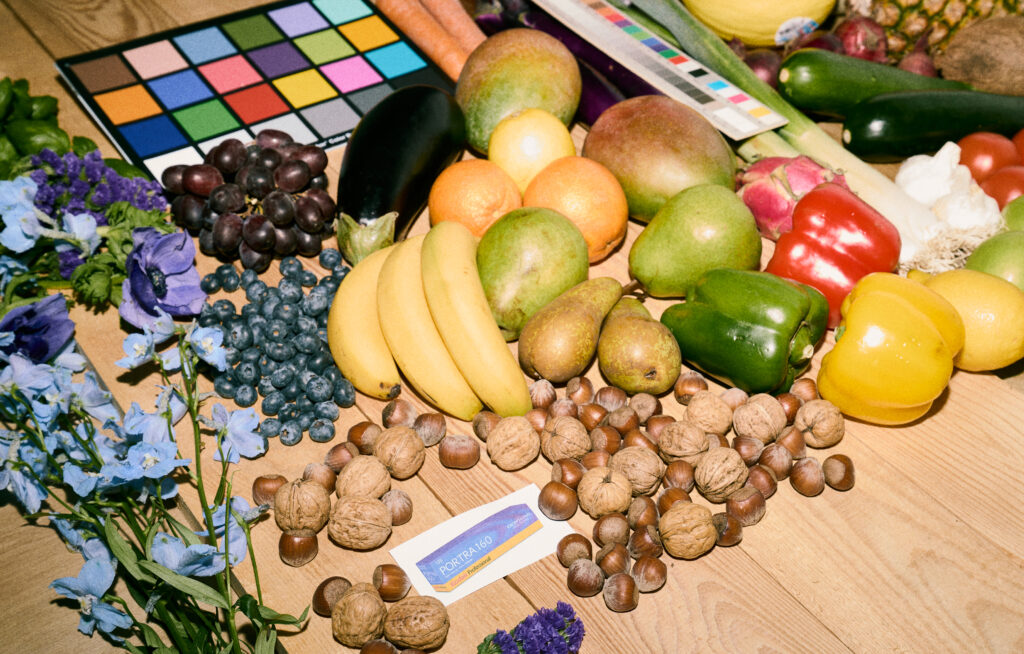
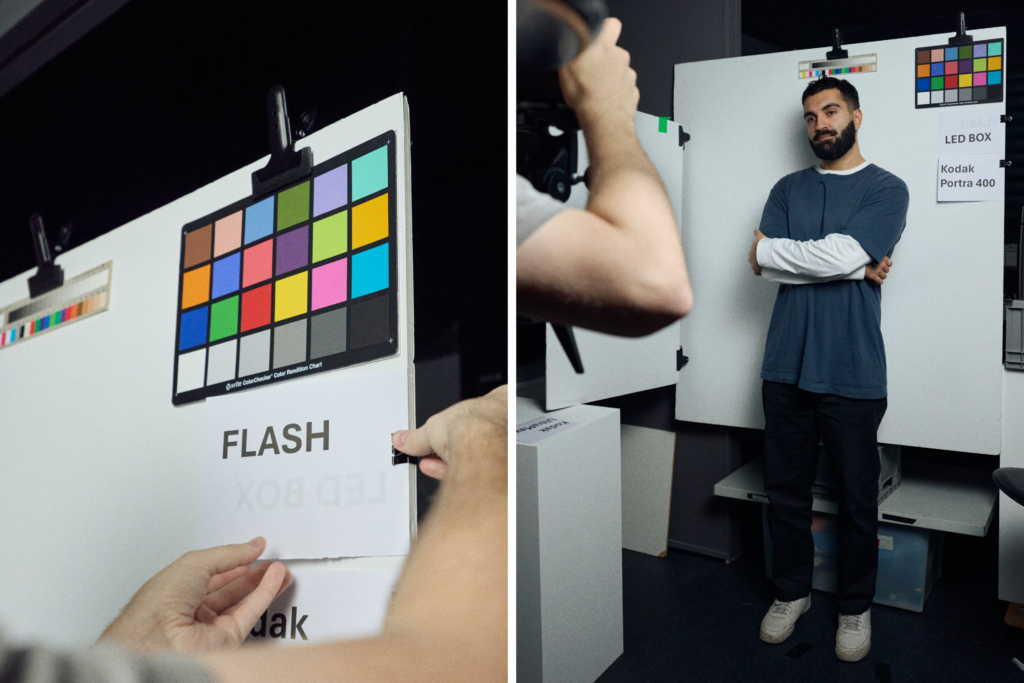
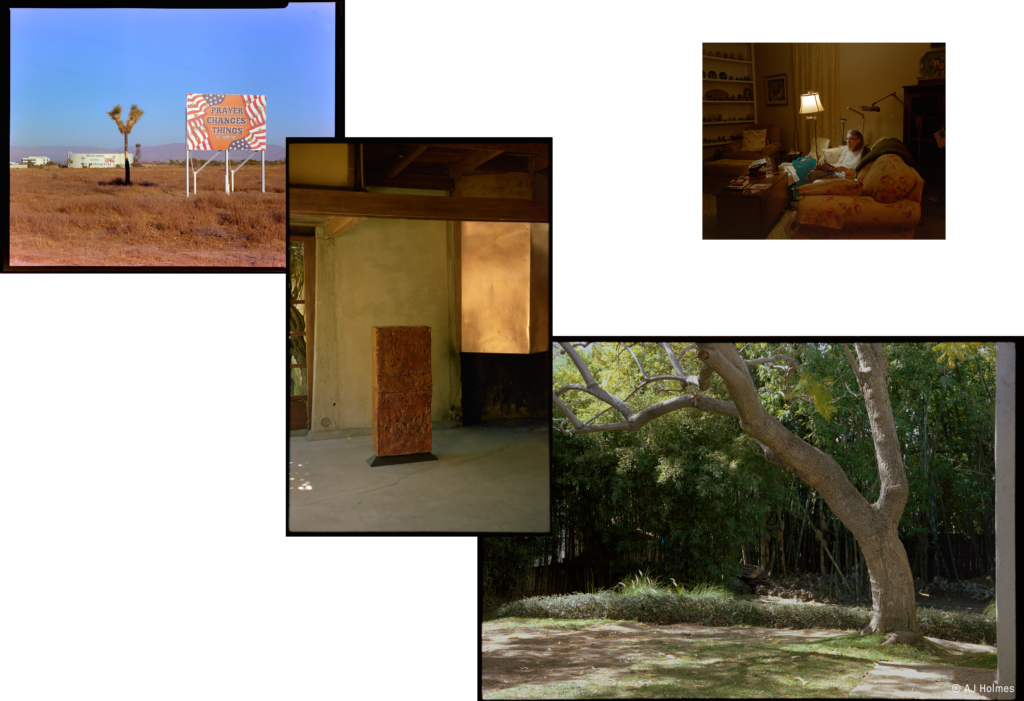
With that principle in place, the team tested the conversion across a wide range of film stocks and real-world scans. The aim was to understand how different films behave under varying conditions and to make sure the conversion held up across that variation, rather than optimizing for a single film stock or scanning setup. Testing covered a broad range of subjects, from portraits to landscapes and still life, ensuring the conversion behaved consistently even when capture conditions varied within the same roll. 

Early on, the team discussed whether to include predefined styles that mimicked popular lab looks, such as the Noritsu or Fujifilm’s Frontier scanners. In theory, this was possible. In practice, it didn’t make sense for camera-scanned negatives. 

When negatives are captured with a digital camera and light source, the result is influenced by the setup itself: the light, the sensor, and small variations from frame to frame. In that context, a predefined style quickly loses relevance. It might suit one image, but not the next, even within the same roll. 
Rather than baking a look into the conversion, the team chose to leave that decision to the editing stage. If a photographer wants to recreate a specific look, such as the green shadows often associated with Noritsu scans, that’s still possible. But the conversion itself doesn’t impose that direction. It leaves room for photographers to decide how their images should look, based on what they actually captured. 

All of these factors keep the conversion flexible and dependable, while giving photographers control over how their images develop after conversion. It also allows the photographer to create distinct styles they can reuse for their specific setup to achieve a desired look in one click next time they scan. 
To make Film Negative mode feel intuitive, we had to rethink parts of the processing pipeline so the editing experience would still feel familiar. Because color negatives have a different dynamic range than digital files, we reworked how certain tools behave – adjusting things like Color Balance and Levels – to ensure edits feel natural, flexible, and free of friction.” Sebastian Rydahl, Color Engineer, Capture One 

Working with Silver Lab in Copenhagen 

We wanted to be sure we were on the right track, so we consulted Silver Lab, one of Europe’s and Scandinavia’s leading analog labs based in Copenhagen. The goal was to understand the needs of both individual photographers and labs, the challenges they face today, and how they see the market evolving. 

Many labs rely on legacy systems built for a different time, which are becoming increasingly difficult to maintain, while interest in analog photography continues to grow. At the same time, home-scanning setups are becoming more common, but when it comes to industry-scale workflows, legacy scanners still play a role that newer solutions have not fully replaced. 

What became clear in our discussions was the importance of predictability when processing entire rolls. Manual intervention slows things down, and certain steps benefit greatly from being standardized rather than adjusted image by image. 

While our current solution is aimed at photographers who are scanning at home, working together created a shared understanding of what matters when film is handled at scale. This collaboration helped shape the feature as it exists today and continues to inform how we think about what might come next. 
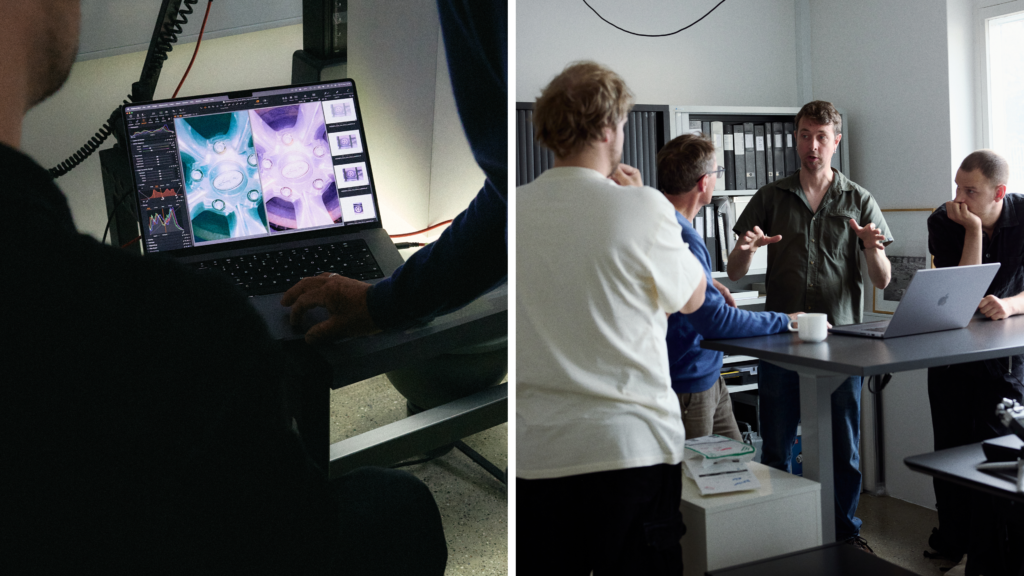
“At Silver Lab we work with large volumes of film which need to be delivered fast, consistently and of the highest quality. Scanning is of course an integral part of the process, so being able to help develop an excellent solution for consistent color control is a huge deal for us. We believe this update is comprehensive, and we are very excited to implement it into our process. 

– Andreas Olesen, Co-founder, Silver Lab  

Summary: what had to be right 

In the end, the work behind Negative Film Conversion came down to a few core priorities. 

The conversion needed to respect the character of the film, revealing what’s already in the negative rather than imposing a predefined look. It needed to hold up when applied across entire rolls, behaving predictably and efficiently for larger batches. And, it needed to feel like Capture One, fitting naturally into an existing workflow rather than introducing a separate way of working. 

Those principles shaped every part of the feature. The result is a focused conversion step that creates a reliable and honest conversion for analog photography. We hope you enjoy it.  
Try Capture One for 7 days 

Read more about our plans 

Sign up for our newsletter

Sign up for the webinar

Why observation is a photographer’s greatest material

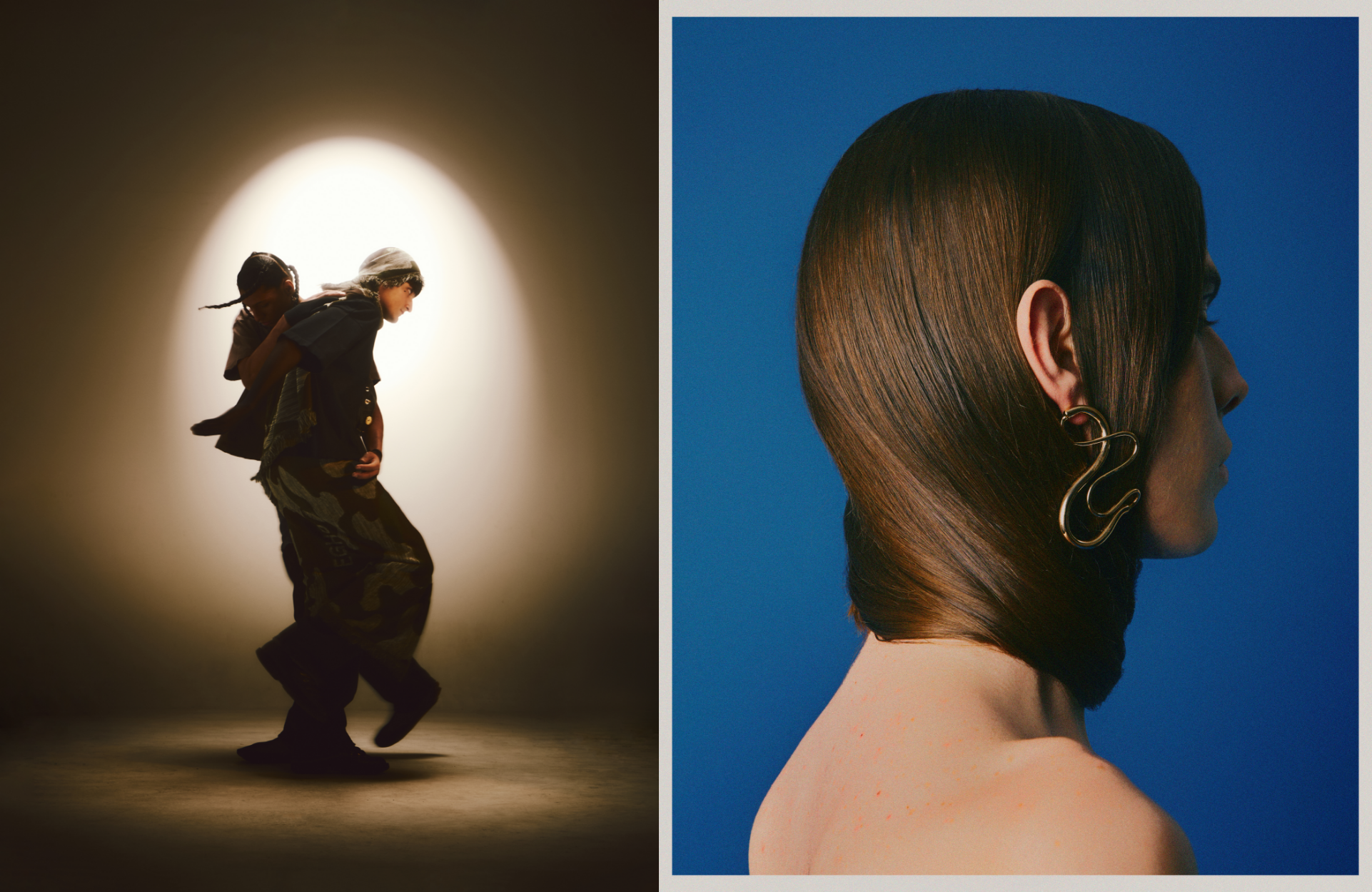
Tom Barreto is a Brazilian photographer and director whose work balances technical precision with emotional sensitivity. Born in Taubaté and now based in São Paulo, he has built a career spanning fashion, beauty, advertising, and personal projects, creating images defined by choreographed light, atmosphere, and a deep sense of humanity. 

His portfolio includes campaigns for Dior Beauty, Fendi, Arezzo, and Bvlgari, alongside collaborations with artists such as IZA, Fernanda Torres, and Marina Ruy Barbosa. His work has appeared in global publications including GlamourHarper’s BazaarMarie Claire, and Numéro Netherlands.  

Tom’s practice goes beyond creating imagery. At its core is a philosophy rooted in observation: of people, of everyday life, and of the quiet tensions that exist beneath the surface. It’s this mindset that shapes how he approaches storytelling, navigates uncertainty, and maintains a consistent visual language across analog and digital workflows. 

In our chat below, Tom reflects on why observation is a photographer’s most valuable material, how he trains his eye away from the camera, and what keeps him grounded when the industry feels unstable. He also shares insights into his creative process, the role of controlled chaos in his work, and how tools like Capture One support collaboration and decision-making on set. 

What did you mean by “the photographer’s greatest material is observation”?

I believe a photographer is, above all, a professional observer. Our work is to observe the world, people, and everything around us. To be present and to notice details in both the beautiful stories and the difficult ones. That’s why I say this: as long as we stay attentive and observant, we’re being nourished by the greatest material possible, which is life itself. 

How do you train your eye when you’re not holding a camera? 

For me, the best way is simply to exist in daily life: talking to people, listening to their stories, going to museums, connecting what I see there with what I see on the streets, and above all, paying attention. Being present is already a constant exercise.

But my eyes are also shaped by the people around me. My friends are with me in every moment, sharing references, stories, doubts, and discoveries. They constantly expand my perception through conversations, exchanges, and shared experiences. It wouldn’t be possible to train my eye without this network of support, both my family and chosen family. Photographers and artists like Gabi Lisboa, Diego Rodrigues, Mateus Aguiar, Tauna Sofia, Wendy Andrade, Mar Vin, Clara Lobo, KAO, Carlos Queirozi, Arthur Bellini, and Julio Nery, among many others, are part of this daily dialogue that keeps my vision alive.

What keeps you going when photography feels uncertain or challenging?

My family’s support, and something inside me that has moved me since childhood. I come from an artistic family that, for socioeconomic reasons, couldn’t fully live from their art. That “artistic blood” guides me. I’ve had privileges my parents and grandparents didn’t, and I stay true to this path because, in a way, I’m accomplishing something past generations couldn’t.

But there’s also my chosen family. My friends in São Paulo became my home away from home. Without them, very little of what I’ve built would. It has been possible. They inspire me daily, challenge me, hold me when things feel uncertain, and remind me why I create in the first place. This combination of blood and chosen family is what keeps me moving forward.

Being from Brazil, does that show in your work as an artist?

I believe it does. It appears in my habit of mixing mediums and formats, and in finding beauty where it traditionally isn’t seen. That, to me, connects directly with Brazil — a place where cultural diversity is one of our greatest strengths.

What makes an image feel like visual storytelling rather than just a nice photo?

This sense of “delicate and deep” that I seek. The surface might feel aesthetic, but it’s in the layers of interpretation that the image becomes more than just a photo — it becomes a record of life, something that resonates beyond the first glance.

Working with both analog and digital, how do you maintain consistency in your style?

My style comes from playing with discomfort and controlled chaos. I think of my art as a sandbox with specific toys: inside it, there’s room to experiment and to lose control with intention. The consistency is the boundary of the sandbox — the freedom happens within it.

How do you know when a photo is finished?

Honestly, I don’t. There’s always another possible path, even when it feels complete. To me, a photo is never fully finished; we simply decide where to stop so the work can exist in the world.

How does Capture One help you and your team?

With exceptional speed, simultaneous viewing on multiple monitors, and efficient organization of looks directly on set. It also makes marking selections easy. Overall, it’s essential for our workflow — especially for my digital tech, who works beside the client, organizing everything and making post-production smoother.

Which Capture One tools do you use the most and why?

I love working with multiple layers. My color process is literally about mixing layers, adjusting opacity, and watching how they interact. It creates an organic tension in the color-building process. Lately, I’ve also used the AI tools a lot — masks and retouching — which are extremely practical for quick previews and for showing clients where the image can go.

What’s one lesson you wish you had known when you started?

You show up, do the work, and stay true to your eyes and heart. Along the way, you learn to stay attentive to people. To recognize those who genuinely help you grow, who have been there with you, and to grow alongside them. And to remain open to new people whose presence and character feel right. Stay true.

Check out more of Tom’s work on his website and Instagram.


New to Capture One? Try for free for 7 days. 


Sign up for the webinar

Seriously. AI is not the main character.

AI needs no introduction. It’s wildly powerful. It ramped quickly and flooded every corner of our lives, and yes, a few big tech companies behaved like hooligans along the way, which naturally created fear, dread, and the sense that something precious was slipping away.

But here’s the hard truth: AI has already been adopted. 

Every single photographer we’ve spoken to in the past six months, and that’s hundreds of them, is using it.

Not as a philosophical debate. Not as an existential threat. Just as a tool to run their business. To build mood boards. To finish images. To keep up.

AI is reshaping photography at a pace we haven’t seen since the transition from film to digital.

And this is uncomfortable. Profoundly uncomfortable.

But if there’s anything we’ve learned from Patrick Fore, we need to “sit with the discomfort. 

So now the real question is: What future are we building toward? 

Back to the Metal 

When everything gets louder, the best photographers do something counterintuitive:
They go quieter.
They slow down.
They find community.
They create with more intention and honesty.

Because the world doesn’t need less photography. It needs more. 

More authorship, more honesty, more voice, more vision, more truth, more reasons to pick up a camera and make something meaningful.  

And here’s the thing: every great journey is easier with good company. People you trust, and people whose actions match their words.

We believe the same is true about the companies that build your tools. After all, companies are made up of people. Individuals with skills, intentions, and integrity. That’s why the “who” behind a tool matters just as much as the tool itself. 

Where Capture One Stands 

Yes, we’re a tech company.

And yes, we’ve built some of the most powerful AI tools in the industry.

Photographers are using them at a large scale: in 2025, more than 60,000 photographers created over 200 million images using Capture One’s AI-driven workflows. 

But this doesn’t define who we are. That’s not how we measure success. Because we’re also a photography company.

At Capture One we hold each other accountable for celebrating and protecting the work photographers do. We support those fighting to make the work they know is important (thank you, Seth Stern, you’re an inspiration). We own more cameras than we have employees. We run monthly internal photography competitions, we print the winners and we hang them on our walls.

None of this is normal for a software company.

Good. 

We don’t aim to be normal. We aim to be right for photography. 

So, when others zig, we zag. Soon, we’re launching Negative Film Conversion. Analog, yes. 

And you might ask, why film?  

To us, the answer is simple: photographers deserve tools that respect the full spectrum of their craft. Past, present, and future. 

We’re not following the hype cycle or chasing trends. We’re building for the long arc of photography. 

The Future We’re Building Toward 

A future where photography is once again the main character. Where the photographer is the author, not the algorithm.

A future where AI isn’t the headline. Where tools fade into the background.

A future where photographers have room to think, space to create, and full authorship over their work. Where clarity and control return to the people who actually do the work.

Capture One’s role in that future is clear as day:  

Build tools for photography and the people who practice it.

Everything else is noise. 

Sign up for the webinar

Combining Masks in Capture One

Learn how combining masks unlocks more flexible editing in Capture One with almost infinite possibilities.

It’s finally here. The possibility of combining masks while keeping the flexibility of editing them individually. It was one of the highest-rated feature requests, and with the recent additions of many types of AI masks, it made sense to implement now, more than ever.

You can combine masks by adding, subtracting, or intersecting them. Intersect will make a mask in the overlapping area between the masks.

If you’re thinking to yourself, “cool, but I’m not sure I need it for my editing,” you’re in the right place. I will try to show some different examples that might spark not only interest in this feature but also inspire the creative possibilities it has unlocked.

So, what does it unlock exactly?

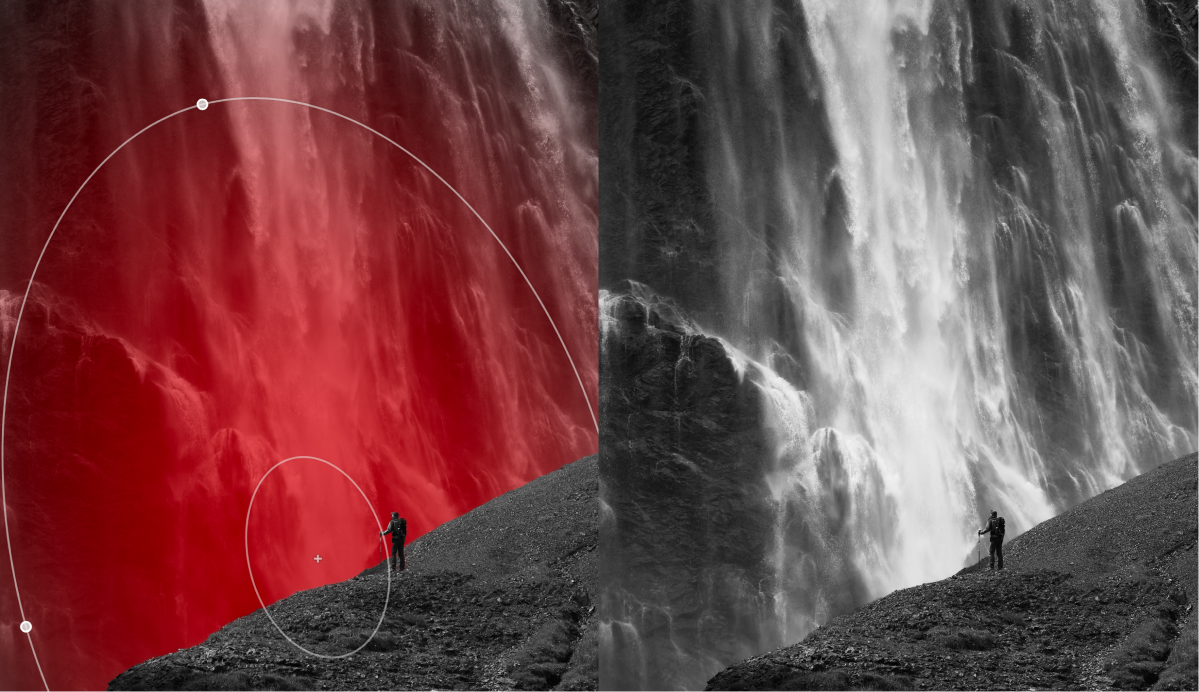
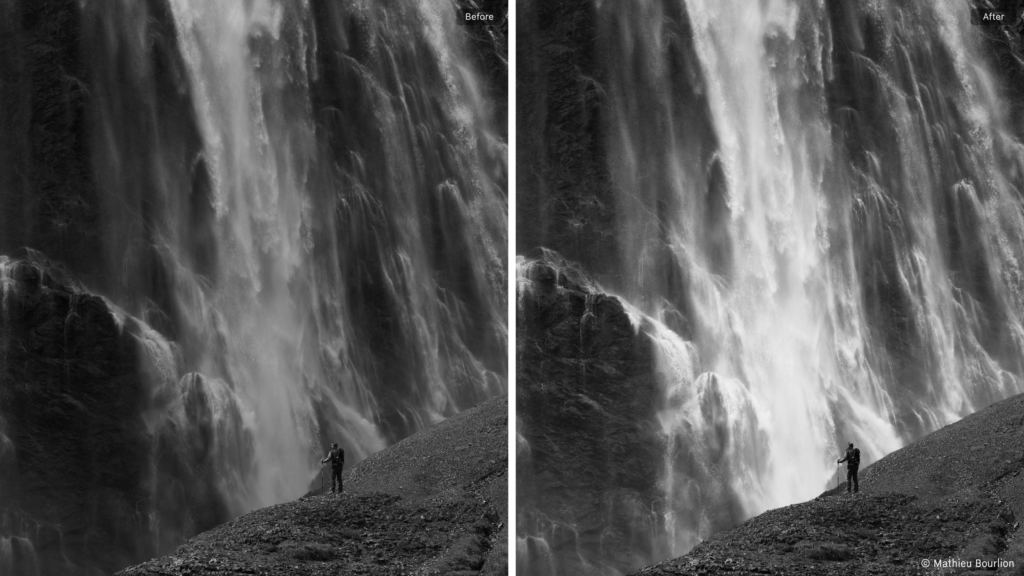
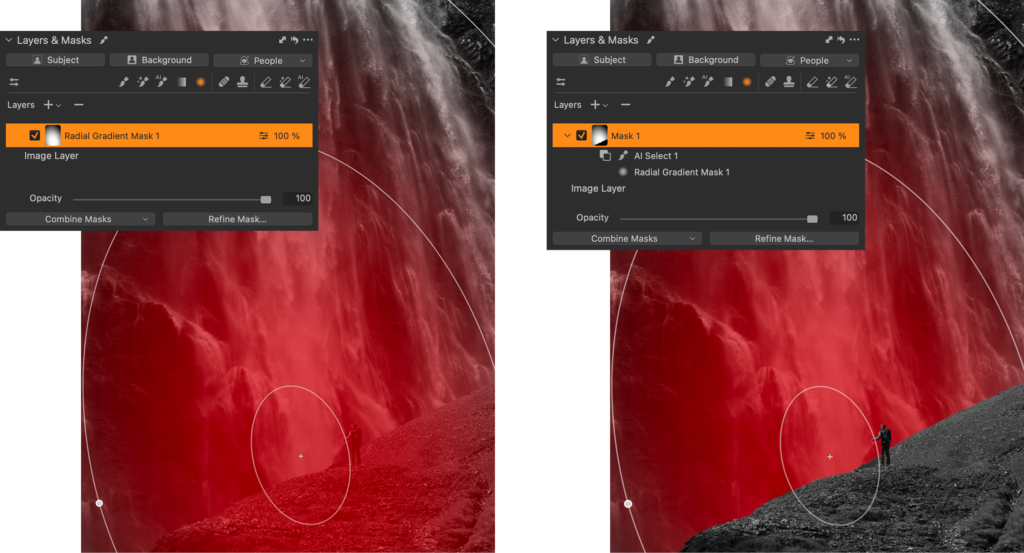
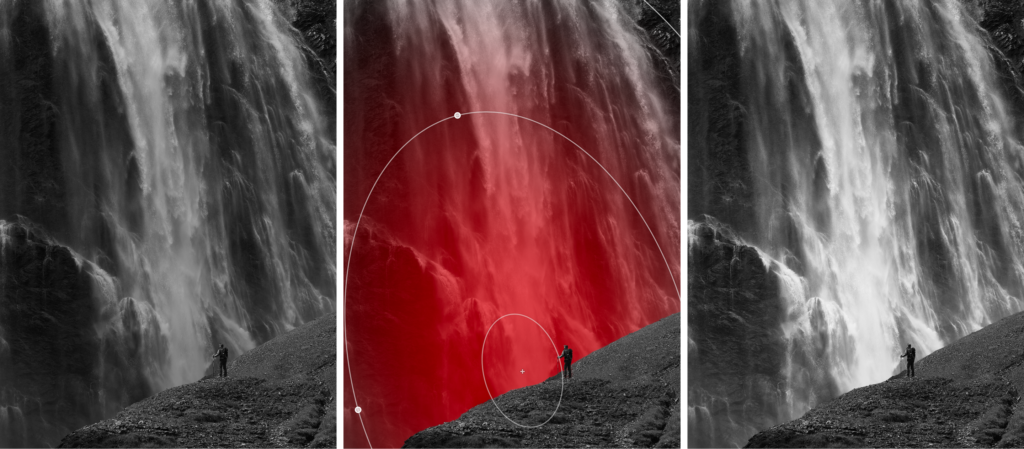
Imagine you have this image of a person in front of a waterfall, and you would like to lighten the waterfall to separate it from the foreground. You could brush it, create a Gradient, use AI Select, or many other options. However, they wouldn’t be as flexible as combining two masks.

What would you do instead?

First, create a Radial Gradient in approximately the position and size you want. You can always adjust it afterwards.

Once you have your first mask, click the new ‘Combine Masks’ button. Here you have three options for the type of combination. Add, Subtract, and Intersect. For this example, I used Subtract, as I want to subtract the foreground. For the type of mask, I used AI Select to manually select the foreground and person.

Pro tip: Masks created with AI Select will be more detailed if you zoom in before you click on the image.

The result will look like this in the Layers tool. You still have the two individual masks; the Radial Gradient and the foreground masked with AI Select. They are now nested under the new combined mask, Mask 1. You can edit each of the individual masks by selecting them and using masking tools.

Now you can freely move or resize the Radial Gradient behind the foreground, getting exactly the look you’re going for. By applying some brightness, levels, and clarity, the waterfall truly stands out.

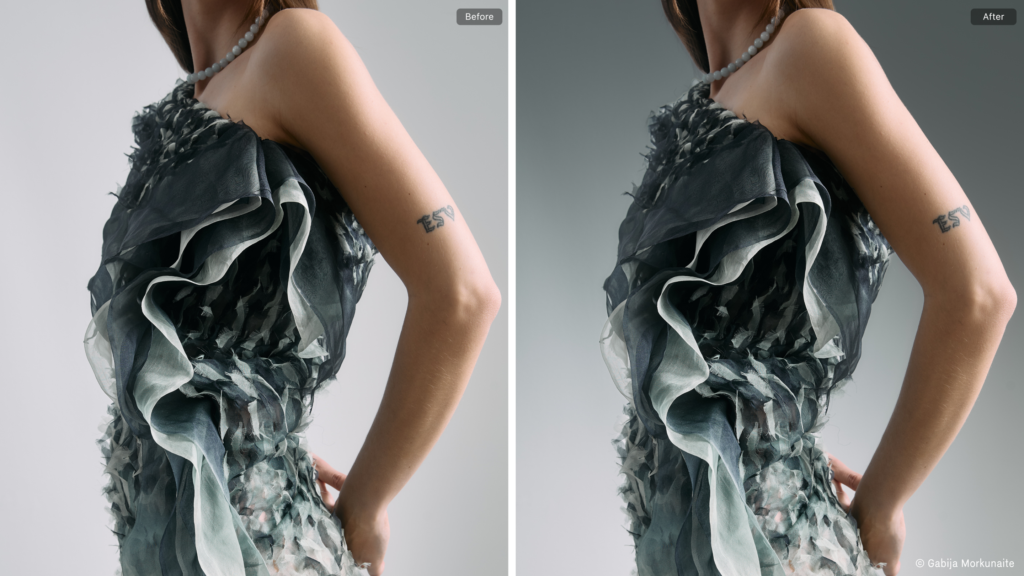
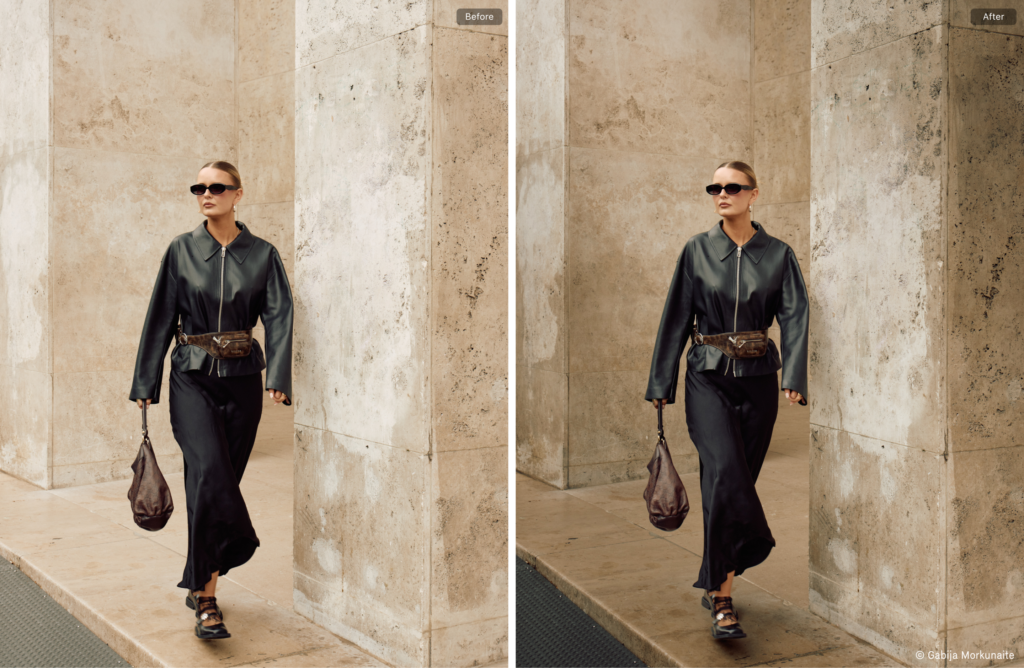
Gradient on the background

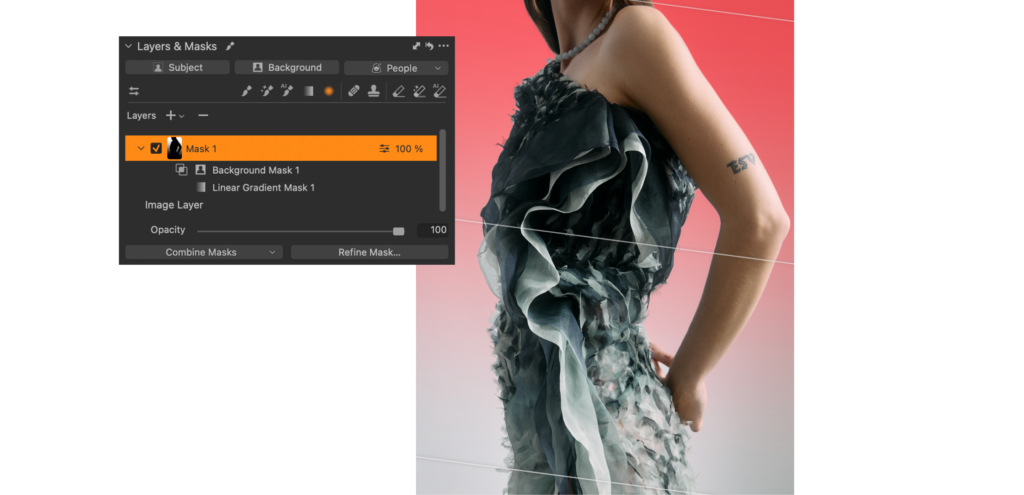
Adding a gradient to the background on this image makes the model stand out more.

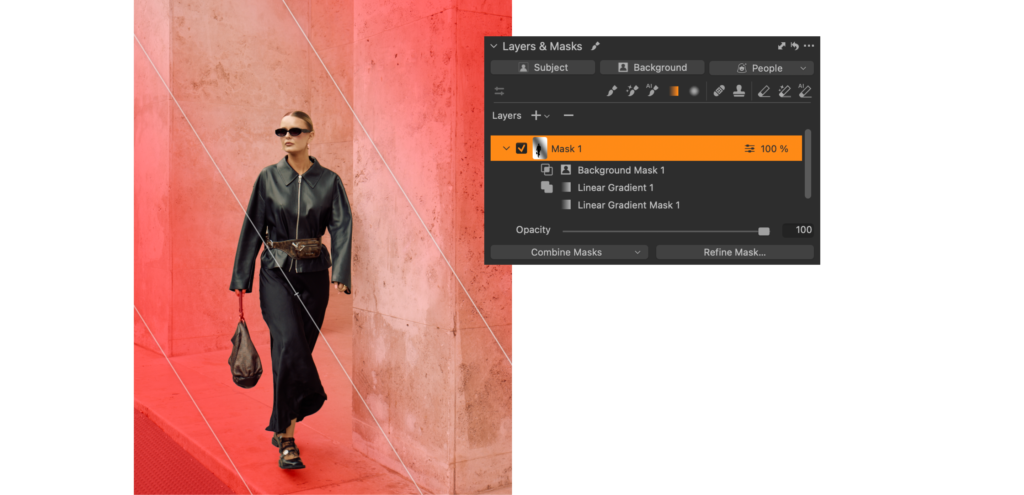
This one is slightly simpler. First, you add a Linear Gradient. Then you have two options to achieve the same; you can either Intersect with the Background or Subtract the Subject. Both will give the same result, allowing you to freely move the Gradient around behind the subject to achieve the look you want.

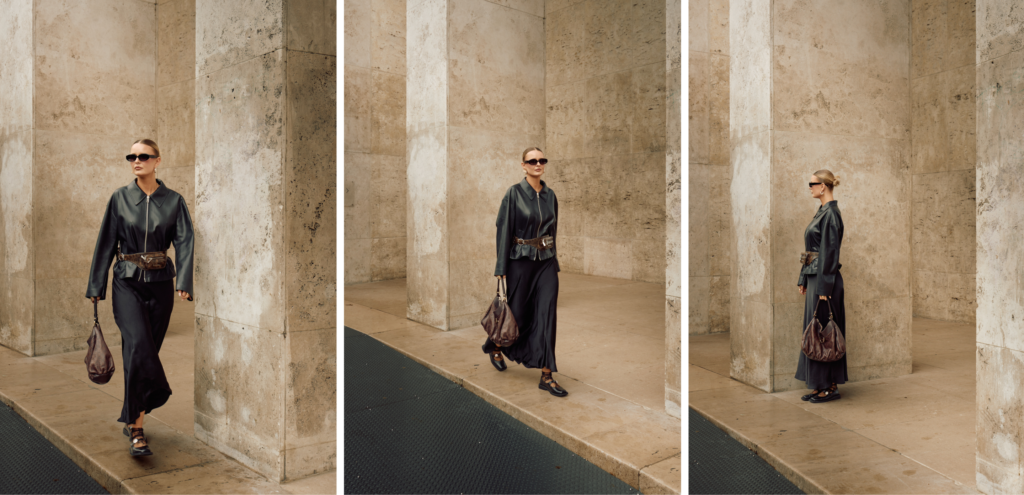
Directional light

On this image, you can create an interesting contrast on the background, drawing attention to the center of the image.

This one is a bit more complicated as it consists of three masks. First, you add a Linear Gradient from one corner. Then you use Add in the Combine Masks menu to add a second Linear Gradient from the other corner. As the final step, you Intersect with the Background to make sure the mask does not overlap with the subject.

What’s brilliant about masks in Capture One is that you can copy them across other images, and their dynamic properties remain. Copying the Layers to other images gives you the same dramatic lighting change in a few seconds and lets you control the combined masks flexibly on each image.

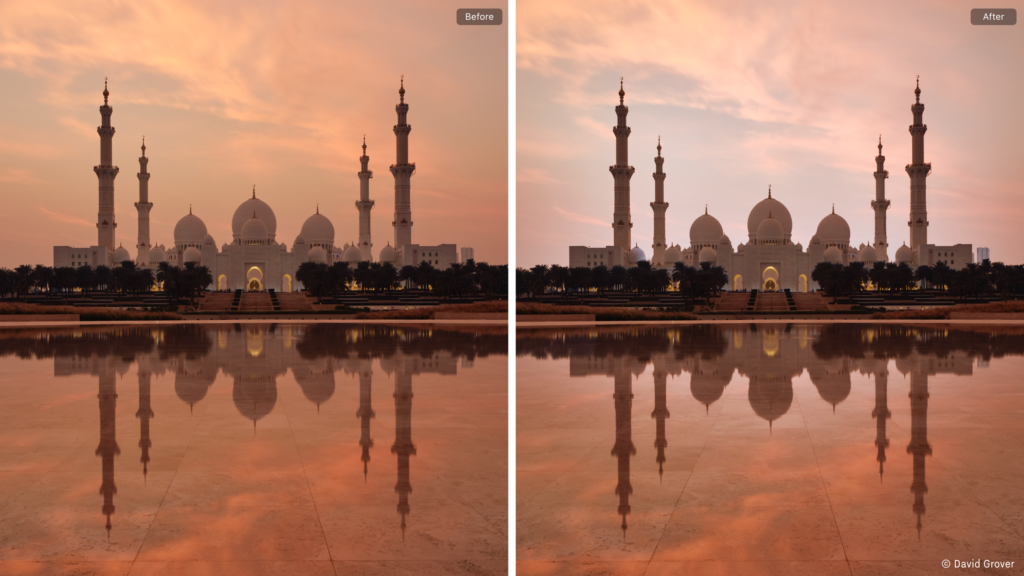
Including the reflection

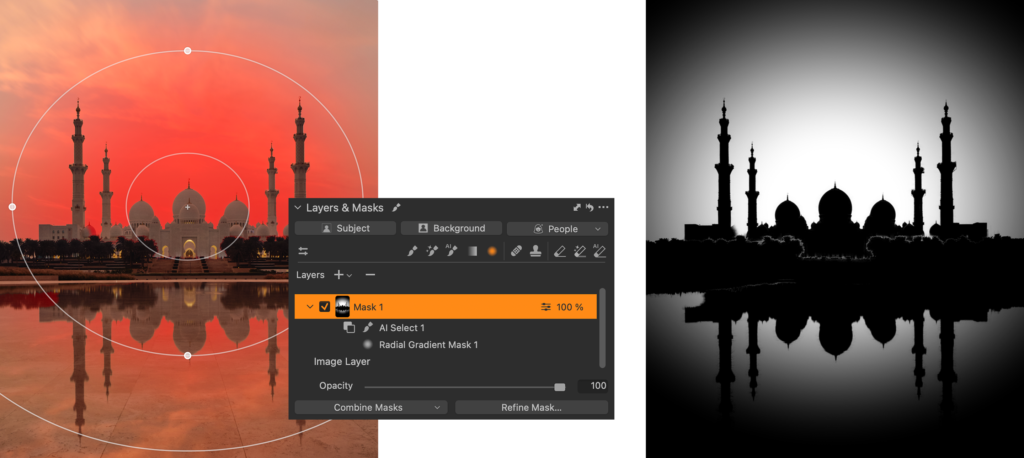
Adding contrast to this image by playing with the light is much easier with a combined mask. To make sure the edit looks natural, the reflection needs to be included.

You might have guessed the steps to take by now. To achieve this, you first create a Radial Gradient. Since the beautiful mosque and reflection are a little complex, the regular Subject Mask doesn’t quite catch it all, so you need to Subtract using AI Select and manually select the mosque and trees, also in the reflection.

When everything is selected with AI Select, you should end up with a flexible Radial Gradient you can move around behind the mosque, also including the reflection. Here, it’s also shown as a greyscale mask (Option/Alt + M) to easily visualize the mask.

Adjusting light, contrast, white balance, and clarity creates a nice separation between the mosque and the background.

Restricting a manual brush

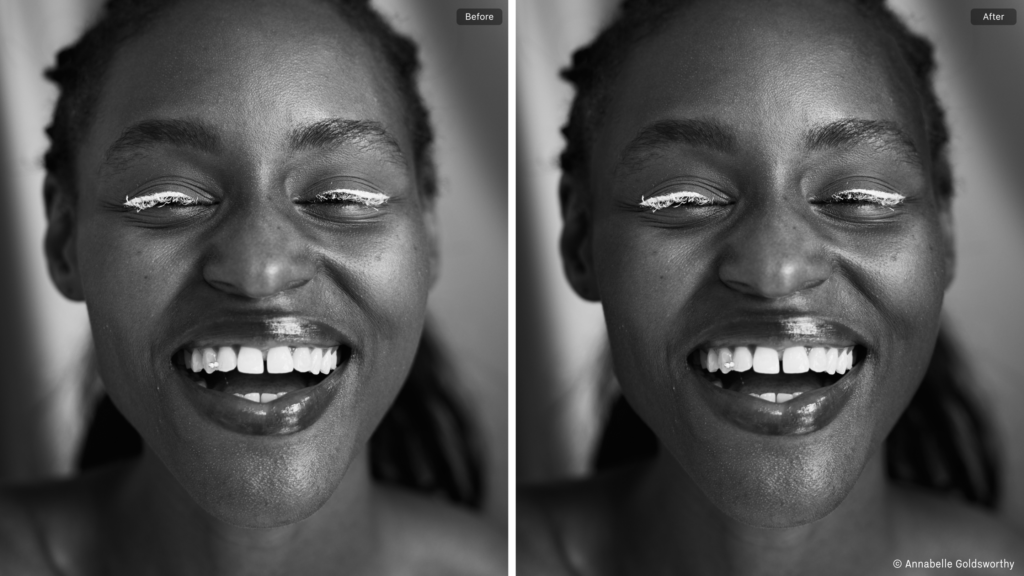
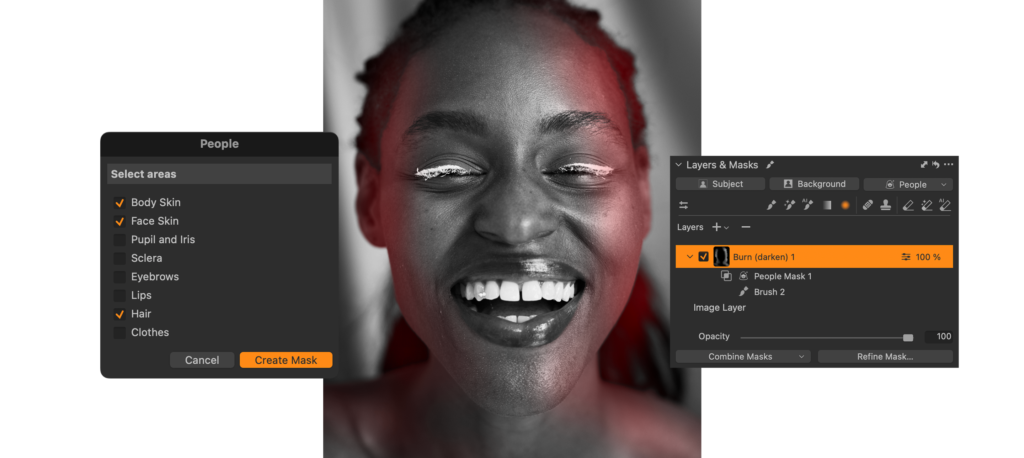
Did you know that Capture One has built-in Dodge and Burn brushes? They are part of the Style Brushes. For this image, it’s easy to gently darken the edge of the face of the model to enhance the depth without affecting the background.

First, you select the ‘Burn (darken)’ Style Brush and make a brush stroke on the edge of the face of the model. This automatically creates a new Layer. Now you intersect this mask with the ‘People’ mask option. Here you select ‘Face Skin’, ‘Body Skin’ and ‘Hair’. Now your mask is restricted to only the skin and hair of the model, and you can brush around the edge without affecting background.

What about Luma Range?

You might have noticed that the Combine Masks button has replaced the Luma Range button. This is because a Luma Range applied to a Layer is already a combined mask. You need to get used to a slightly different workflow. To get the result you’re used to from older versions, you need to use ‘Intersect’ when combining with a Luma Range.

Now you just have Add and Subtract as well in case your mask needs something different.

Remember that you can always add custom shortcuts for each available operation. Just open the Shortcut Manager (Edit > Keyboard Shortcuts > Edit Keyboard Shortcuts…) and search for, for example, ‘luma’, for example.

What about the 16 Layer limit?

Capture One currently limits you to 16 Layers per image. You don’t need to worry about Combined Masks taking up too many slots, because no matter how many masks you combine, the final mask only counts as one Layer.

Almost infinite possibilities

After these options were implemented in Capture One, I’ve discovered masking options that I wouldn’t have thought of before. It makes me think about editing and improving my images in a new way, and it’s difficult to imagine advanced editing in Capture One without it.

I hope these examples give you some inspiration for what you can achieve and how to start playing with combining masks.


New to Capture One? Try for free for 7 days. 


Sign up for the webinar