Combining Masks in Capture One
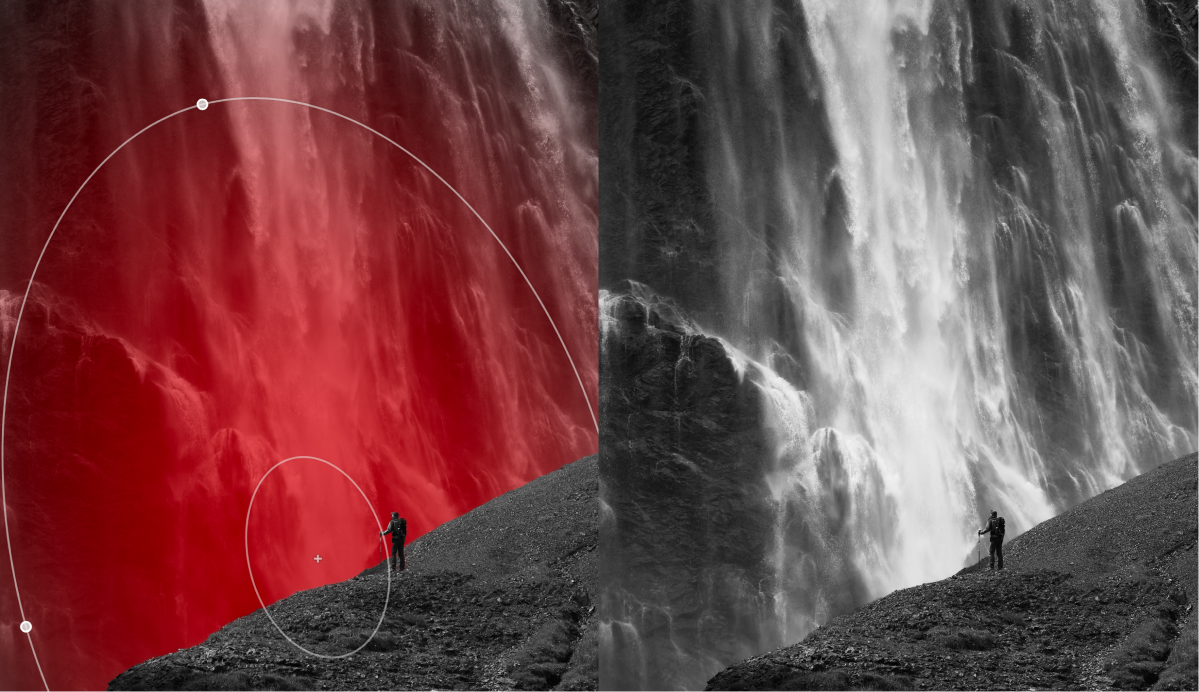
Learn how combining masks unlocks more flexible editing in Capture One with almost infinite possibilities. It’s finally here. The possibility of combining masks while keeping the flexibility of editing them individually. It was one of the highest-rated feature requests, and with the recent additions of many types of AI masks, it made sense to implement now, more than ever. You can combine masks by adding, subtracting, or intersecting them. Intersect will make a mask in the overlapping area between the masks. If you’re thinking to yourself, “cool, but I’m not sure I need it for my editing,” you’re in the right place. I will try to show some different examples that might spark not only interest in this feature but also inspire the creative possibilities it has unlocked. So, what does it unlock exactly? Imagine you have this image of a person in front of a waterfall, and you would like to lighten the waterfall to separate it from the foreground. You could brush it, create a Gradient, use AI Select, or many other options. …